STUDENT TUTORIAL
Transform multi-view photographs into animated 3D human avatars with motion transfer.
The Core Problem
Given N images of a person, recover the 3D body model parameters
Θ = (β, θ, τ) that explain the observations.
Each stage transforms data representation, progressively constraining the solution space.
Multi-view stereo recovers 3D geometry with vertex colors
Remove artifacts, fix topology, normalize scale
Constrain to anatomically plausible body; gain skeleton
k-NN maps scan colors to SMPL-X vertices once; persistent
Transfer any motion to our body shape; colors follow via LBS
Transfer SMPL-X skinning weights to original mesh; animate full-detail geometry
GPU-friendly format for real-time playback
We start with millions of pixels, reconstruct ~1.5M colored 3D points, then collapse geometry to 119 parameters: β (10 shape), θ (75 pose), hands (24 PCA), ψ (10 expression). SMPL-X acts as a strong prior. Optional: retarget weights back to COLMAP for full-detail animation.
Walk slowly! Adjacent frames need 70% shared content.
Adjacent frames must share ~70% of visible content. This means walking slowly—if you turn too fast, consecutive frames have no common features and COLMAP can't triangulate.
# Feature extraction (with optional mask path) colmap feature_extractor --database_path db.db --image_path ./images \ --ImageReader.camera_model SIMPLE_RADIAL --ImageReader.single_camera 1 \ --ImageReader.mask_path ./masks/ # optional # Matching: try sequential first (video), fallback to exhaustive colmap sequential_matcher --database_path db.db --SequentialMatching.overlap 10 # Sparse → Dense → Mesh colmap mapper --database_path db.db --image_path ./images --output_path sparse colmap image_undistorter --input_path sparse/0 --output_path dense colmap patch_match_stereo --workspace_path dense colmap stereo_fusion --workspace_path dense --output_path dense/fused.ply colmap poisson_mesher --input_path dense/fused.ply --output_path dense/mesh.ply \ --PoissonMeshing.depth 12
Don't remove backgrounds—black/green bleeds into reconstruction! Provide binary masks via --ImageReader.mask_path
# Remove degenerate geometry mesh.remove_degenerate_triangles() mesh.remove_duplicated_vertices() mesh.remove_non_manifold_edges() # Keep largest connected component tri_clusters = mesh.cluster_connected_triangles() largest = np.argmax(cluster_n) mesh.remove_triangles_by_mask(mask) # Poisson → watertight pcd.estimate_normals() mesh = o3d.geometry.TriangleMesh\ .create_from_point_cloud_poisson(pcd, depth=9)
# Save colors before (may be lost) old_colors = np.asarray(mesh.vertex_colors) # Quadric decimation mesh = mesh.simplify_quadric_decimation( target_number_of_triangles=100000) # Transfer colors via k-NN tree = cKDTree(old_verts) _, idx = tree.query(np.asarray(mesh.vertices)) mesh.vertex_colors = old_colors[idx] # Recompute normals mesh.compute_vertex_normals()
# Scale to target height (meters) h = verts[:,1].max() - verts[:,1].min() verts *= (1.7 / h) # Flip Y: COLMAP Y-down → SMPL-X Y-up verts[:,1] *= -1 # Center: pelvis at origin (~0.9m up) verts[:,1] -= verts[:,1].min() + 0.9 verts[:,0] -= verts[:,0].mean() verts[:,2] -= verts[:,2].mean()
COLMAP meshes have holes and non-manifold edges. Poisson creates a watertight surface required for skinning.
SMPL-X fitting computes distances from every vertex. 1M+ vertices → GPU OOM errors.
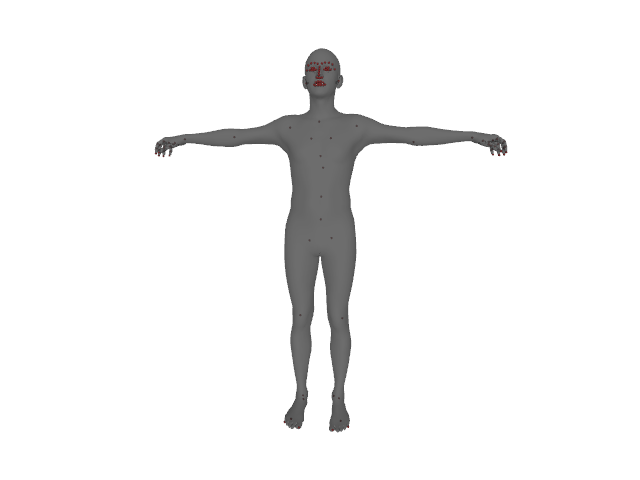
SMPL eXpressive — unified body model combining SMPL body, FLAME face, MANO hands.
# Pairwise distances
dist = torch.cdist(smplx_v, scan_v)
loss_s2t = dist.min(dim=1)[0].mean()
loss_t2s = dist.min(dim=0)[0].mean()
chamfer = (loss_s2t + loss_t2s) / 2
import smplx model = smplx.create( model_path='models/', model_type='smplx', gender='neutral', num_betas=10 ).to(device) output = model( betas=betas, # (1,10) body_pose=pose, # (1,63) global_orient=orient,# (1,3) transl=transl # (1,3) ) vertices = output.vertices # (1,10475,3)
| Preset | Shoulder Z | Use When |
|---|---|---|
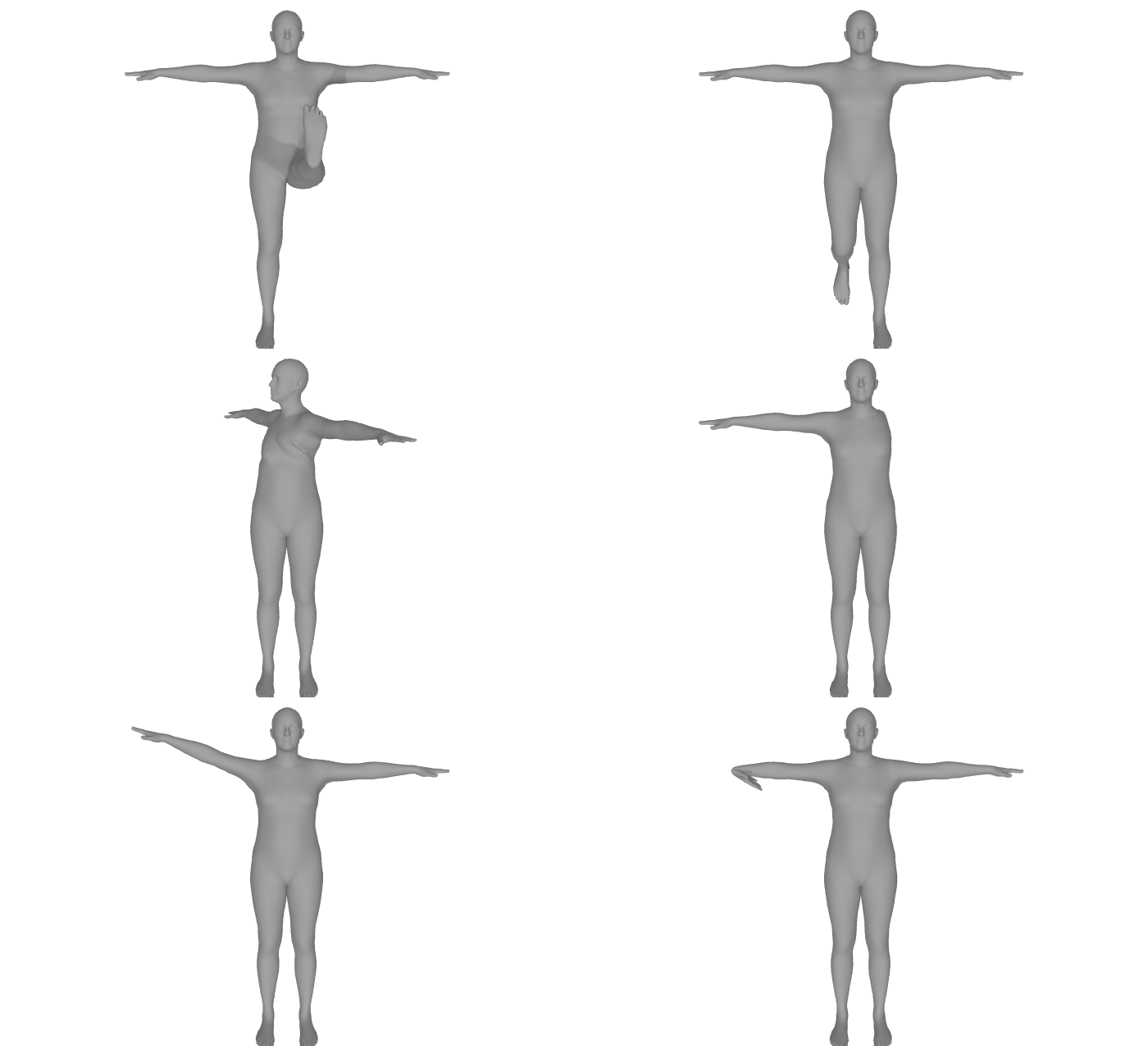
| t-pose ✓ | 0° | Arms horizontal (recommended) |
| a-pose | ±45° | Arms diagonal |
| relaxed | ±72° | Natural standing |
Wrong initialization → optimizer must rotate joints through large angles → twisted limbs and incorrect color transfer.
# For EVERY frame... for frame in frames: posed_smplx = apply_pose(smplx, pose) colors = knn(posed_smplx, colmap_mesh) # But COLMAP is in original pose!
Problem: COLMAP mesh is static. When SMPL-X pose changes, k-NN finds wrong neighbors from the frozen scan.
Linear Blend Skinning transforms vertex positions, not identities:
# Compute ONCE in fitted pose colors = knn_interpolate(fitted_smplx, colmap_mesh) np.savez('vertex_colors.npz', colors=colors) # For ALL frames - just load! colors = np.load('vertex_colors.npz')['colors'] mesh.visual.vertex_colors = colors # Colors "travel" with vertices via LBS
from scipy.spatial import cKDTree # Build tree from COLMAP vertices tree = cKDTree(colmap_verts) # Query k=8 nearest for each SMPL-X vertex dists, idxs = tree.query(smplx_verts, k=8) # Distance-weighted interpolation weights = 1.0 / (dists + 1e-8) weights /= weights.sum(axis=1, keepdims=True) # Weighted average of neighbor colors colors = np.einsum('nk,nkc->nc', weights, colmap_colors[idxs])
The key realization: Color is a property of the vertex, not the position.
Once you assign "red" to vertex 5432 (the nose), it stays red whether the nose is at (0,0,1) or (0.5, 0.2, 1.1).
transl -= transl[0:1]
import torch import trimesh import smplx # 1. Load YOUR fitted parameters params = torch.load('fitted/smplx_parameters.pt') betas = params['betas'] # Shape: your proportions scale = params.get('scale', torch.tensor([1.0])) # 2. Load persistent vertex colors fitted = trimesh.load('fitted/fitted_smplx_colored.ply') colors = fitted.visual.vertex_colors[:, :3] # 3. Load motion sequence data = pickle.load(open('motion.pkl', 'rb')) # 4. CENTER TRANSLATION (critical for loops!) transl = data['transl'] - data['transl'][0:1] # 5. Initialize SMPL-X model body_model = smplx.create( model_path='models/smplx', model_type='smplx', gender='neutral' ) # 6. Generate each frame for i in range(num_frames): output = body_model( betas=betas, # YOUR shape global_orient=data['global_orient'][i:i+1], body_pose=data['body_pose'][i:i+1], transl=transl[i:i+1] ) verts = output.vertices[0].numpy() * scale.item() mesh = trimesh.Trimesh(verts, body_model.faces) mesh.visual.vertex_colors = colors mesh.export(f'frames/frame_{i:05d}.ply')
Vertex Animation Textures encode mesh animation directly into image textures, shifting computation from CPU to GPU.
| Metric | PLY | VAT |
|---|---|---|
| Load | 30s–3min | <1s |
| Size | 0.7–2.5GB | 15–50MB |
| FPS | ~15 | 60+ |
8-bit PNG (0-255) lacks precision. Split 16-bit into high/low textures:
# Python encode norm = (pos - min) / (max - min) enc16 = (norm * 65535).astype(np.uint16) high_8 = (enc16 >> 8).astype(np.uint8) low_8 = (enc16 & 0xFF).astype(np.uint8)
// GLSL vertex shader decode vec3 hi = texture2D(highTex, uv).rgb * 255.0; vec3 lo = texture2D(lowTex, uv).rgb * 255.0; vec3 n = (hi * 256.0 + lo) / 65535.0; return mix(minBounds, maxBounds, n);
Mobile GPUs limit textures to 4096×4096. With 10,475 vertices → max 1,365 frames per texture. Long motions auto-split into seamless chunks.
# Convert with auto-chunking python convert_vat_chunked.py \\ moyo_frames/ \\ -o vat_universal/ \\ -j 8 # 8 parallel workers
Transfer SMPL-X skinning weights to original COLMAP meshes — millions of vertices with full geometric detail, now animatable!
# For each COLMAP vertex: # 1. Find nearest SMPL-X triangle # 2. Compute barycentric coordinates # 3. Interpolate blend weights weights_colmap = bary_interp(smplx_weights, smplx_faces, colmap_verts)
❌ SMPL-X arms twisted
✅ Match preset to scan pose
❌ Wrong colors on posed mesh
✅ Use persistent color map from fitted pose
❌ Avatar teleports in animation
✅ Subtract first frame translation
❌ Mesh upside down / rotated
✅ Apply Y-flip for COLMAP→SMPL-X
❌ COLMAP reconstruction sparse
✅ More photos, 70%+ overlap
Match preset to actual scan pose
Establish once, reuse for all poses
COLMAP Y-down ↔ SMPL-X Y-up
Relative motion for seamless loops
🙋
Questions?